Personalise
For the institution, you write a piece of information only once. The platform adapts it word by word to each profile.
For the student, each one sees only what concerns them, at the right moment of their journey.
Your procedures, content, partners and contacts brought together in a single entry point, where each student sees only what concerns them. Live about three weeks after we receive your content, with no IT project.
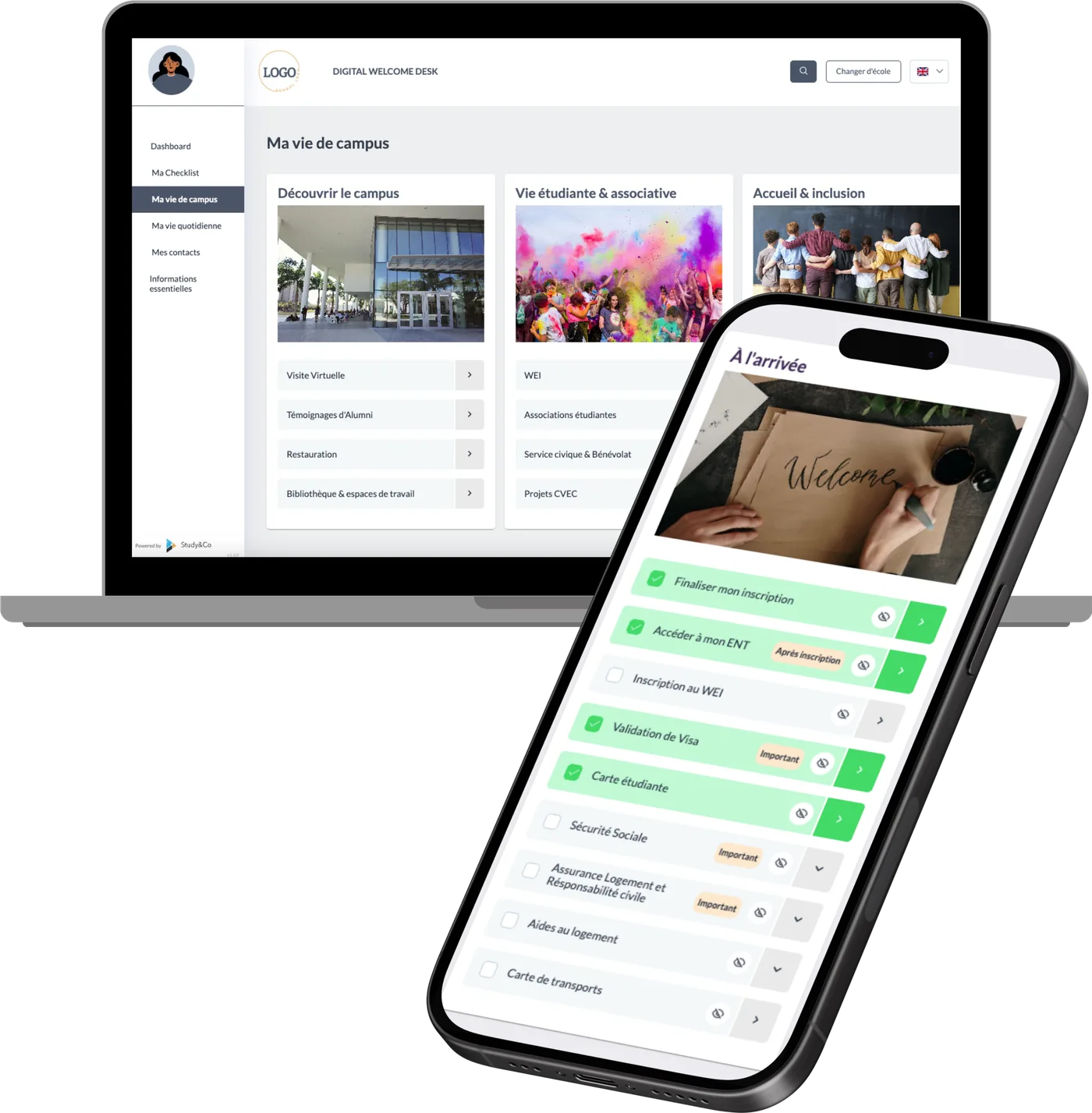
The Welcome Desk rests on three principles. Each one changes something for your teams, and something for the student.
For the institution, you write a piece of information only once. The platform adapts it word by word to each profile.
For the student, each one sees only what concerns them, at the right moment of their journey.
For the institution, a single entry point brings together the content, services and partners of all your departments, without replacing anything.
For the student, everything is in one place and in the right order, from the admission letter onwards.
For the institution, the same quality of welcome across all your campuses, schools and programmes, with a shared base maintained once.
For the student, a consistent experience, whatever their campus or programme.
The Welcome Desk supports the student through the four stages of their arrival. Your teams step in when their presence matters.
A letter, then nothing for months.
The Welcome Desk link goes out with the letter.
Visa, housing, enrolment: where to start?
Each step at the right time, in a checklist.
Where is the campus, who to contact, when?
Your content and partners in one place.
Campus life, the next formalities.
One entry point to your tools.
When they first log in, students fill in their profile: nationality, country of residence, campus, programme, year of study, length of stay, apprenticeship. These answers feed large decision trees that choose, word by word, what each student sees.
Your teams no longer have to design one message per audience. They write once, and the platform delivers to each student the information that concerns them. You can keep writing by email, with shorter messages that point to the Welcome Desk.
This personalisation is what makes centralisation possible. An exchange student in Paris and an apprentice on another campus use the same platform without ever reading what does not concern them.
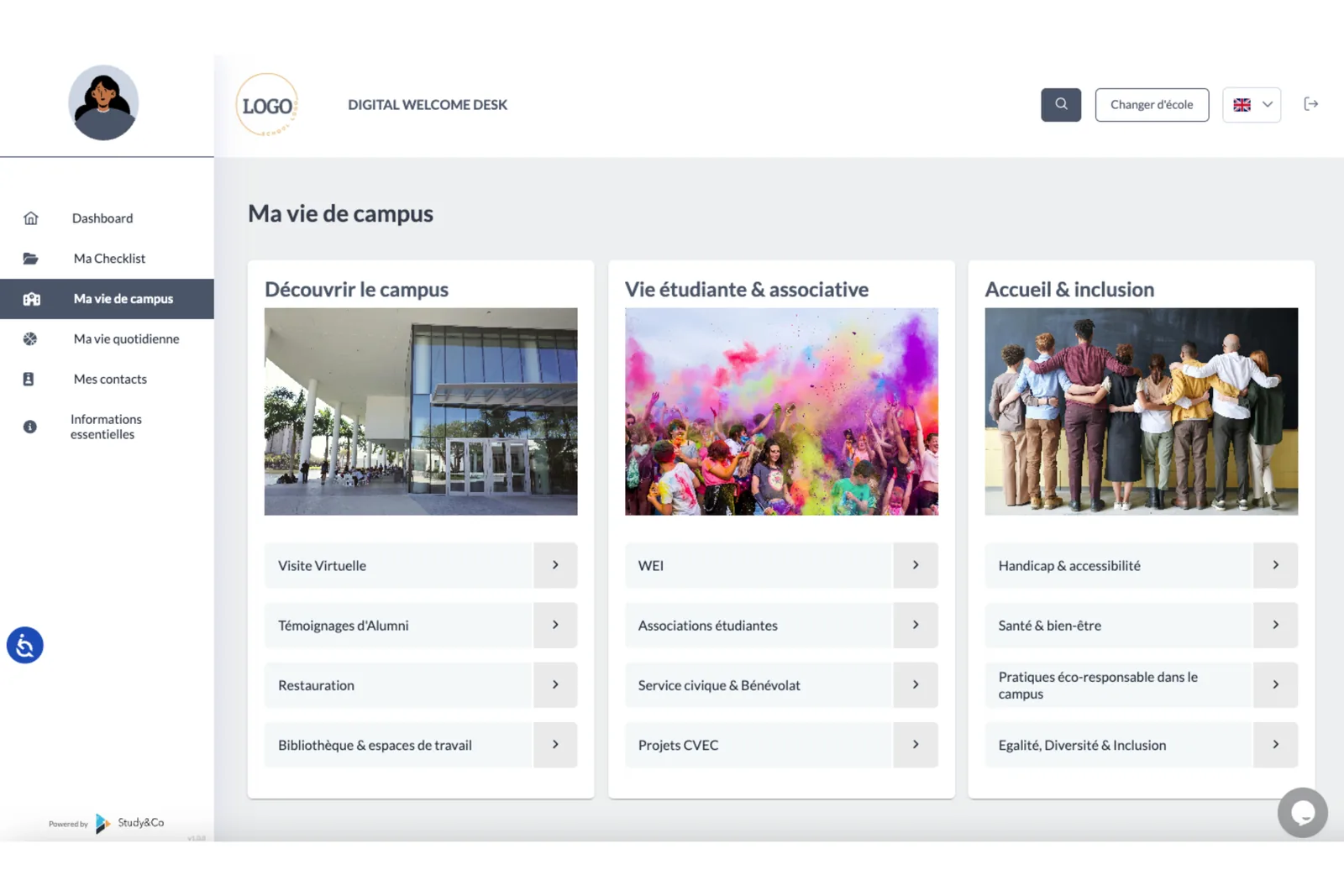
Every feature below is in use today at our institutions.
| Feature | For the institution | For the student |
|---|---|---|
| White label | Your name, your logo and your colours. The platform is seen as yours. | An official entry point they recognise. |
| Centralisation of existing content | Guides, procedures, links, partners and events are reused, nothing is rewritten from scratch. | Everything in one place, in the right order. |
| Journey by profile | A message adapted to each audience, written only once. | Only what concerns them. |
| Checklist ticked by the student | A view of the steps completed. | They know what is left to do. |
| Progress export | An export showing where each student stands, to target your reminders (optional module). | A reminder when a step is still pending. |
| Automatic welcome email | A first contact sent effortlessly when the student signs up to the platform. | Direct access to their platform, in their language. |
| French and English | One tool for all your audiences. | They choose their language. |
| Admin accounts per entity | Each department, campus or faculty manages its own content, and shared content is distributed by level. | The information for their campus and programme. |
| Partners on display | Your housing, banking, insurance and telecom partners presented to your students. | Practical solutions before arriving. |
| Usage statistics and annual review | Logins, page views, sign-ups, and a review with figures every year. | Reviews based on aggregated data. |
| Buddy module | A structured buddy programme, with each pair approved by your team. | A student contact before arriving. |
| Going live | About three weeks after we receive your content, with no IT project. | A platform ready before the first admission letters go out. |
Your intranet, your student portal (ENT), your CRM and your campus life app stay where they are. The Welcome Desk sits on top of them and replaces none of them.
Above all, it covers the period when the admitted student does not yet have an account with you. The intranet and the student portal usually open after enrolment, and they are organised by department, while the student lives a journey. The Welcome Desk follows that journey, then sends the student to your tools at the right moment: activating the student portal, registering for courses, booking an appointment.
Your content belongs to you and can be exported. The platform is maintained by an agency under contract. Your IT department’s questions (data, data processing agreement, integration) have their own page: Security and data.
A super administrator publishes the information shared by every entity. Each school or campus manages its own content, visual identity and brand guidelines.
The structure of the journey, the procedures shared by everyone (CVEC, social security, visa) and the consolidated data.
The brand guidelines, tone and content specific to each school: alumni network, traditions, events.
Local information: housing, transport, partners, contacts and nearby events.
Each student’s journey according to their status: first year, master’s, apprentice, international, exchange.
A new school becomes one more level in the platform, not a new project. See how groups of schools and multi-campus institutions welcome their students
Buddies and newcomers fill in a questionnaire. The tool suggests pairs based on several weighted criteria, and your team approves each pair before they are put in touch.
The module is being piloted at a client university.
An export shows where each student stands in their checklist: housing found, visa obtained, enrolment completed.
Your teams follow up with those who are stuck, before the start of term.
Hosting agreement, Talent-Researcher status, Euraxess, arrival at the laboratory: a dedicated journey in the same Welcome Desk, alongside the students’ journey.
About three weeks after we receive your content. On your side, one contact person and a few hours to gather and approve the existing content.
An hour and a half with your teams to set out your priorities, your audiences and how your student welcome is organised.
The journey takes shape step by step and profile by profile, based on what you have already written.
Study&Co integrates your content, your partners and your contacts, in your colours.
An hour and a half of training for your administrators. The link can go out with the admission letter.
The figures below come from the platform’s statistics and from the automatic email sends.
71%
open rate on the welcome email
343 emails delivered from March to October 2026, 39% click rate to the platform (measured)
87%
of students choose English
Same university, October 2026 review (measured)
10
logins per student
6,472 logins, June 2025 to October 2026 (measured)
31
page views per student
19,613 page views, June 2025 to October 2026 (measured)
The subscription covers a number of accounts, all audiences combined. Each audience has its own journey in the same Welcome Desk.
A thirty-minute demo on a test account: the student’s profile, their checklist, the administration area and the progress export.